Seasonal Home Maintenance Checklist: Preventing HVAC and Plumbing Emergencies
Prevent HVAC emergencies with a seasonal home maintenance checklist. Why proactive scheduling beats waiting for sudden failures. See what needs attention now.



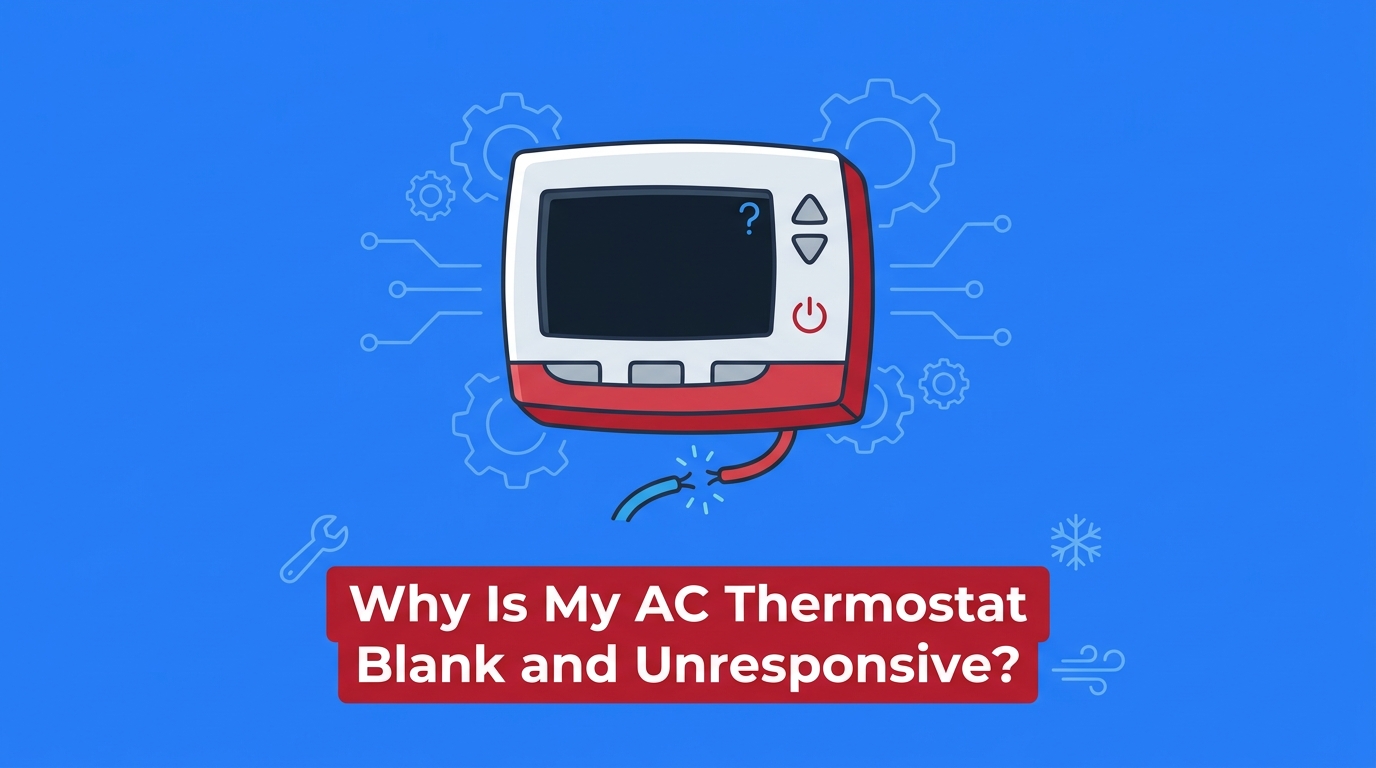
The active cooling season is in full swing, temperatures are climbing, and you are suddenly wondering: why is my AC thermostat blank and unresponsive? At Always Affordable Plumbing & HVAC, we receive countless calls from homeowners discovering that their home's cooling system has abruptly stopped working. It can be incredibly frustrating, especially when the indoor temperature is rising by the minute. When you walk up to your wall unit and find a completely blank digital display with no backlight or low-battery warning, it is easy to assume the worst. The thermostat acts as the brain of your entire HVAC system; when it goes dark, communication ceases, and your air conditioner will simply sit idle, regardless of how hot your house gets.
If you need immediate assistance with your system, our comprehensive air conditioning services can restore your home's comfort quickly and professionally.
Before you panic about a catastrophic system failure, it is important to understand that a blank screen is often a symptom of a power interruption rather than a broken thermostat. In our experience, the critical decision point for any homeowner is determining whether this power loss is due to a simple, easily correctable issue—like a dead battery or a tripped breaker—or a complex electrical fault inside the air handler. Systematically checking your system can often resolve the issue without unnecessary stress. By following a structured troubleshooting hierarchy, you can safely rule out the harmless culprits before deciding it is time to call in a licensed professional.
When faced with a completely blank digital display with no backlight or low-battery warning, our team always recommends starting with the most basic power sources. Many homeowners assume that because their thermostat is hardwired into the wall, it does not rely on batteries. In reality, a large number of modern thermostats use AA or AAA batteries as a primary power source or as a vital backup to retain programming during power dips. Establishing a troubleshooting baseline begins here.
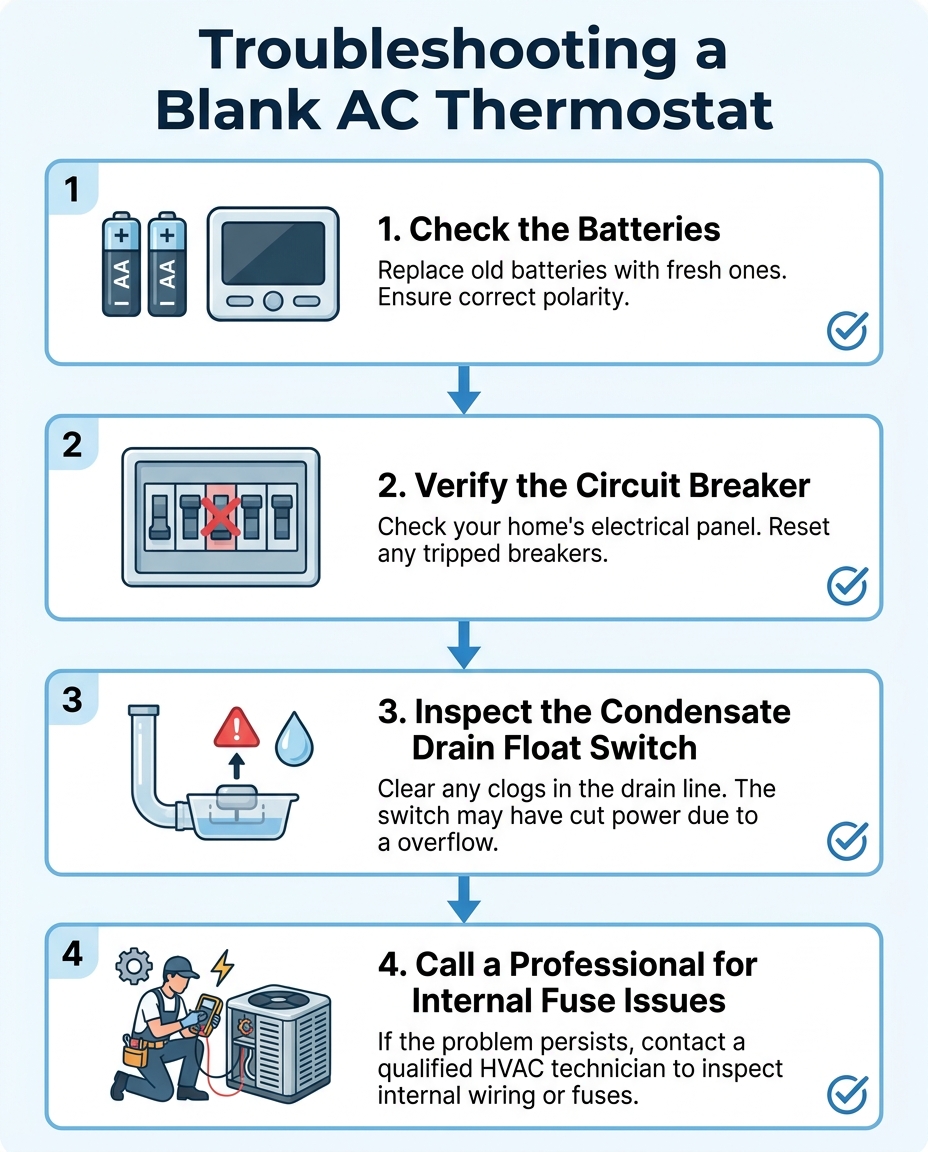
1. Check and replace the thermostat batteries: Carefully pull the thermostat faceplate away from the wall mount. If your model requires batteries, remove the old ones and install a fresh set of high-quality alkaline batteries. Ensure they are oriented correctly. If the screen immediately lights up, your issue is resolved.
2. Verify the main electrical panel: If new batteries do not work, or if your unit does not use batteries, locate your home's main electrical panel. Look for the circuit breaker labeled for the HVAC system, air conditioner, or furnace. Sometimes a breaker trips but does not move all the way to the "off" position. Firmly push the breaker to the "off" position, wait a few seconds, and then push it back to the "on" position.
3. Check the indoor air handler switch: Your indoor HVAC unit (the air handler or furnace) has a dedicated power switch mounted on or near the cabinet. This switch often resembles a standard light switch. Because these are frequently located in attics, garages, or closets, they can easily be bumped into the "off" position by someone moving boxes or retrieving stored items. Verify that this switch is in the "on" position.
If these basic power sources are restored, the completely blank digital display with no backlight or low-battery warning should immediately resolve. If you have completed these checks and the screen remains dark, it is time to consider professional HVAC repair to safely diagnose the electrical system.
To help you narrow down the issue, consider how the thermostat behaved right before it went blank. We often see that different causes present slightly different warning signs.
• Screen faded slowly over several days before going blank — Most Likely Cause: Depleted batteries — Recommended Action: Replace batteries in the thermostat faceplate
• Screen went blank instantly, accompanied by a "pop" sound — Most Likely Cause: Tripped breaker or blown fuse — Recommended Action: Check main electrical panel; call a professional if breaker trips again
• Screen went blank during heavy rain or extreme heatwave — Most Likely Cause: Tripped condensate float switch — Recommended Action: Inspect the drain pan for standing water
• Screen goes blank only when the AC tries to turn on — Most Likely Cause: Electrical short in the contactor — Recommended Action: Requires professional electrical diagnostics

If your batteries are fresh and the breakers are on, the next most common culprit is an intentional safety mechanism triggered by a clogged drain line. During the active cooling season, an air conditioner does more than just lower the temperature; it also dehumidifies your home. As warm air passes over the freezing cold evaporator coils, moisture condenses into water droplets.
The Problem: A typical residential air conditioning system can remove anywhere from 5 to 20 gallons of moisture from your indoor air every single day. All of this water collects in a drain pan beneath the indoor coil and flows out of your house through a PVC condensate pipe. In our years of servicing HVAC systems throughout the Sacramento Valley, we've seen firsthand how intense summer heatwaves cause ACs to run continuously, producing excessive condensation. This constant moisture creates an ideal environment for algae, mold, and debris to build up, which can quickly clog the drain line.
The Cause: When that PVC line clogs, the water has nowhere to go. It begins to back up into the drain pan. To prevent this water from overflowing and causing severe property damage to your ceilings, floors, or drywall, modern HVAC systems are equipped with a condensate overflow switch, commonly known as a float switch. As the water level rises in the pan, it lifts a small buoyant float.
The Solution: Once the float reaches a certain height, the switch trips. This switch is wired directly into the low-voltage circuit that powers your thermostat. When it trips, it intentionally cuts power to the thermostat immediately. The resulting blank screen is the system's way of shutting down the outdoor compressor so it stops producing condensation. You can safely check this by locating your indoor air handler and looking at the secondary drain pan or the small PVC switch assembly. If you see standing water, the switch has done its job. If you notice a clogged line or water pooling where it shouldn't, you might be dealing with an AC unit leaking water in garage or attic space. Clearing the clog and draining the water will reset the switch and restore power to the thermostat.
When you have ruled out batteries, circuit breakers, and clogged drain lines, you have reached the hard boundary where do-it-yourself troubleshooting ends and professional electrical diagnostics must begin. Thermostats do not generate their own power to communicate with the air conditioner. Instead, they typically operate on a 24-volt low-voltage circuit connected directly to the HVAC control board inside the indoor air handler.
The control board features a small transformer that steps down your home's high-voltage electricity to a safe 24 volts. To protect the sensitive electronic components on this board, manufacturers install a small automotive-style fuse—usually a 3-amp or 5-amp purple or orange fuse. If a power surge occurs, or if two low-voltage wires touch and create a short circuit, this fuse will blow instantly to protect the expensive control board. When our technicians are called out to diagnose a system, we often find that a severed power connection to the wall unit, resulting in a completely blank digital display with no backlight or low-battery warning, traces right back to this small fuse.
A strict safety boundary must be observed here: replacing internal HVAC fuses or handling high-voltage wiring is dangerous. Homeowners should never attempt to open the air handler cabinet to bypass safety switches or replace these fuses themselves.
Furthermore, a blown fuse is a symptom, not the root cause. If you were to somehow replace the fuse without fixing the underlying issue, the new fuse would simply blow again the moment the system tried to turn on. Our team frequently traces these shorts back to common culprits, including:
• Rodent damage: Mice or squirrels chewing through the thermostat wire in the attic, exposing bare copper that shorts out against the metal ductwork.
• Failing contactors: An aging electrical component in the outdoor unit that pulls too much amperage when it tries to engage.
• Vibration wear: Years of the system vibrating can rub the insulation off wires inside the cabinet, causing them to short against the metal casing.
Because these issues involve testing live electrical circuits and tracing wires through walls and attics, they must be diagnosed and repaired by a licensed professional.
When you encounter a completely blank digital display with no backlight or low-battery warning that cannot be fixed by basic homeowner troubleshooting, calling a professional is the safest and most effective next step. Internal electrical faults require specialized diagnostic tools, such as digital multimeters, and licensed expertise to fix safely. A reliable technician will methodically test the 24-volt wiring, evaluate the control board, and inspect the outdoor contactors to find the exact root cause of a blown fuse.
Working with an honest, transparent service provider like Always Affordable Plumbing & HVAC means you get accurate answers. A dependable technician will fix a simple blown fuse or clear a clogged drain line without using a minor electrical hiccup as an excuse to push unnecessary, expensive equipment replacements. The goal is to restore your comfort quickly and affordably, ensuring your system is safe to operate.
This is also where the value of preventative care becomes obvious to our team. Many of the issues that cause a thermostat to lose power—such as clogged condensate drains, loose electrical connections, and worn contactors—are routinely caught and corrected during annual tune-ups. Keeping your system professionally maintained ensures it runs efficiently and reliably throughout the active cooling season. If you want to avoid these sudden breakdowns in the future, investing in routine HVAC maintenance is one of the smartest decisions a homeowner can make.
Rest assured that many causes of a blank thermostat are minor repairs. While it looks alarming, a dark screen rarely means the entire air conditioning unit needs to be replaced. Professional diagnostics provide the clarity and peace of mind needed to get your home cool again.
If your screen is dark but the system is still blowing cold air, we typically find this points to a dead battery in the thermostat itself. The thermostat may have enough residual power in the system to keep the current cycle running, but the display lacks the battery voltage to light up. If the AC continues to run normally, the low-voltage connection to the control board is likely still intact, and a simple battery swap will fix the display.
Some modern smart thermostats have a physical reset pinhole or button located on the back of the faceplate or along the bottom edge. However, for most traditional digital models, there is no dedicated reset button on the device itself. Resetting the main HVAC circuit breaker at your home's electrical panel acts as a hard system reset, clearing minor glitches and rebooting the thermostat's software.
A complete loss of power is typically caused by an interruption in the electrical supply chain. The main culprits include tripped circuit breakers cutting high voltage to the system, tripped float switches cutting low voltage due to clogged condensate drains, or a blown low-voltage fuse on the indoor control board. If none of these are the issue, the thermostat unit itself may have reached the end of its lifespan and suffered an internal failure.
Fixing an unresponsive screen requires a step-by-step process of elimination. Start by changing the batteries in the faceplate, then check your main electrical panel to ensure the HVAC breaker is in the "on" position. Next, inspect the indoor drain pan for standing water that may have tripped the safety float switch. If these basic checks do not restore power, the issue is likely internal, and you should call a professional.
Yes, a power outage can indirectly cause your screen to go blank even after neighborhood power is restored. When the electricity comes back on, it often surges. These power surges can trip the HVAC circuit breaker in your electrical panel or blow the internal low-voltage fuse on the air handler's control board. If your screen remains dark after an outage, check the breaker first before assuming the thermostat is broken.
Addressing a blank thermostat quickly is essential to restoring your home's comfort, especially during the peak of the active cooling season when indoor temperatures can rise to uncomfortable levels within hours. While walking up to a dark screen is alarming, knowing how to systematically check your batteries, breakers, and condensate drain pan empowers you to resolve minor interruptions safely.
Remember that while DIY checks are helpful and can save you time, electrical issues always warrant professional attention. If you have ruled out the basics, do not risk your safety by opening the air handler cabinet. Reach out to our local experts for safe, transparent diagnostics. By relying on a clear checklist for harmless issues and knowing exactly when to call a professional, you can ensure your cooling system is repaired correctly and your home remains comfortable all summer long.
See what our satisfied customers have to say about their experience with Always Affordable
Plumbing & HVAC.

"Chappy was very skilled in his knowledge of my HVAC unit. I greatly appreciate the quick response and experienced tech. The whole endeavor was made less stressful by his humor and honest conversation. I find comfort in knowing I now have a shop i trust for the next time."
"Tony, James, Ronnie did an amazing job setting up our new AC! They were quick, efficient, considerate, and polite! We appreciate them scheduling us in on such short notice. Definitely recommend this company!"
"Prompt, professional service with kindness and care. They came out to address both plumbing and AC issues. I received a courtesy call before they arrived. All issues were resolved the same day with integrity and respect. Thankful for businesses like this. Absolutely recommend to those that I love."
"Excellent service! Jason came out promptly and in addition to doing my outside faucet he also put in new irrigation equipment! All done perfectly! Jason was lovely"
"Honest with the assessment; friendly and good manners. No high pressure sales. Just good to honest "tell it like you see it" Thought my kitchen disposer needed an overhaul. But Jason, there Plumber gave me an honest lesson on what was really happening. Saved me hundreds, if I went the route of replacing. Thank you!"
"Absolutely 5 stars. If you are looking for affordable ,professional and kind. Chappy was excellent and very knowledgeable . I called in the morning because my air conditioner stopped working he was here within hours and fixed my air with a smile. I highly recommend Chappy and Always Affordable plumbing and Hvac."
"Scott and James were great. They got there quickly and diagnosed the problem with my A/C.They did a very thorough job testing everything. Sent me pictures and called to keep me informed. Got it done the next day and everything is working fine. Be glad when I get home so I can enjoy my new system. Thanks guys for a great job."
"Chappy was very helpful. He knew our issue right away, cleaned our coils. He also came on the same day we called and got our AC blowing cold air again."
"After some timing ’curfuffles’ the Tech Jason arrived and not only completed a speedy install on my toilet, he was personable & professional. Because of the timing issues Jason was attentive and showed up with everything needed! No extra store runs 😊 I was very comfortable with having this Tech in my Daughter’s home. We will definitely use this Service again."